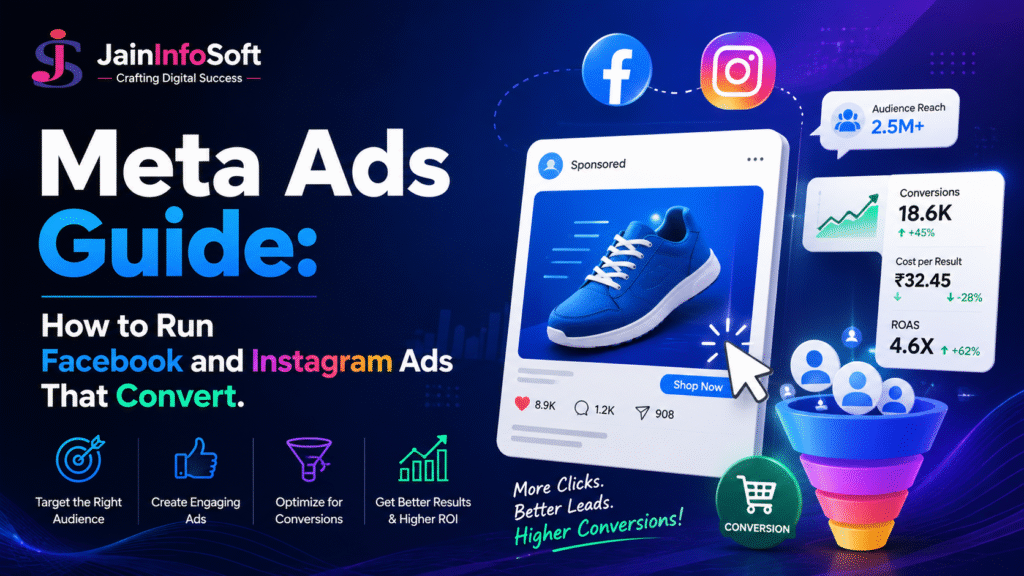
Facebook and Instagram ads can bring in steady leads, or quietly drain a budget with likes and comments that never turn into customers. The gap between the two almost always comes down to targeting, creative, and how the campaign gets structured from day one.
This Meta Ads Guide covers campaign types, audience targeting, budgeting, and the mistakes that waste spend fastest — everything you need to run a real Meta Ads campaign, not just boost a post and hope for the best.
By the end, you’ll understand how to structure a campaign that actually ties back to leads, sales, or bookings, instead of vanity metrics that look good but don’t move the business forward.
What Are Meta Ads?
Meta Ads is the advertising platform that runs paid campaigns across Facebook, Instagram, Messenger, and Meta’s Audience Network. Businesses use it to reach specific audiences based on interests, behavior, location, and demographics.
Unlike Google Ads, which targets people actively searching for something, Meta Ads reaches people while they scroll — which means the ad itself needs to grab attention on its own. This is exactly why creative quality matters just as much as targeting in a strong Meta Ads Course.
This distinction shapes everything about how a campaign should be built. A search ad can rely on intent already expressed through a keyword, but a Meta ad has to create that interest from scratch, in the middle of someone’s feed, within the first second or two.
Main Types of Meta Ads Campaigns
Meta organizes campaigns around a business objective, not just an ad format. The main types include:
- Awareness campaigns — build recognition for a new brand or product
- Traffic campaigns — drive clicks to a website or landing page
- Engagement campaigns — boost likes, comments, and shares
- Lead generation campaigns — collect contact details directly inside the platform
- Conversion campaigns — drive purchases, sign-ups, or bookings on a website
- Catalog sales campaigns — show dynamic product ads, ideal for e-commerce
Most businesses see the strongest return from lead generation or conversion campaigns, since these tie directly to a measurable business outcome rather than just visibility.
How Meta Ads Targeting Works
Targeting is where Meta Ads genuinely stands apart. The platform allows advertisers to reach audiences through several layers at once.
| Targeting Type | What It Does | Best Use Case |
| Core Audiences | Targets by age, location, interests, behavior | New audience discovery |
| Custom Audiences | Targets people who already engaged with your business | Retargeting website visitors |
| Lookalike Audiences | Finds new people similar to existing customers | Scaling a proven audience |
| Advantage+ Audience | Lets Meta’s AI find the best audience automatically | Simplifying targeting at scale |
Many advertisers start with Custom Audiences for retargeting, since these tend to convert faster, then expand into Lookalike Audiences once they have a solid customer base to model.
Advantage+ Audience has grown in popularity because it removes much of the manual guesswork, letting Meta’s own AI test and refine targeting in real time. Even so, most experienced advertisers still layer in some manual Custom Audience data, since Meta’s automation performs better when it starts with a strong signal rather than a completely blank slate.
Setting a Realistic Meta Ads Budget
Budgeting mistakes are common, especially for first-time advertisers. A budget that’s too small won’t generate enough data for Meta’s algorithm to optimize properly, while a large budget without clear targeting just burns through spend faster.
A sensible approach looks like this:
- Start with a modest daily budget for testing, not a large monthly commitment upfront
- Run the campaign for at least five to seven days before judging results
- Track cost per result, not just reach or impressions
- Scale the budget gradually once a campaign shows consistent, profitable performance
Meta’s algorithm also needs a short learning phase after any major change, so frequent edits during this period usually hurt performance rather than help it.
Common Meta Ads Mistakes to Avoid
A handful of repeated mistakes quietly waste budget across almost every industry:
- Using low-quality or generic stock images instead of authentic creative
- Targeting an audience too broad or too narrow for the budget available
- Sending traffic to a slow or mismatched landing page
- Editing campaigns too frequently during the learning phase
- Running only one ad creative instead of testing multiple variations
Fixing even two of these issues often improves performance more than increasing the budget ever would.
Real-Life Examples: Meta Ads in Action
Concepts like targeting and budgeting make more sense with real scenarios attached.
Example 1: A Digital Marketing Institute
A digital marketing institute in Saharanpur runs a lead generation campaign targeting students interested in career growth, aged 18 to 28, within a defined radius of the city. Instead of a generic “join our course” ad, the creative highlights a specific outcome — placement support and real project experience.
The institute tracks cost per lead closely for the first week, then pauses any ad set with a high cost per lead and reallocates budget toward the best-performing creative.
Example 2: A Local Retail Business
A clothing store creates a Custom Audience from website visitors who viewed products but didn’t purchase, then runs a retargeting campaign showing those exact items. This retargeting approach typically costs less per result than targeting a completely new audience, since these visitors already showed interest.
Example 3: A Service-Based Business
A local clinic runs an awareness campaign first, introducing its services to a broad local audience. Once enough people engage, the clinic builds a Custom Audience from that engagement and runs a follow-up lead generation campaign specifically to that warmer audience.
Example 4: An E-Commerce Store
An online store selling home décor runs a Catalog Sales campaign, showing dynamic product ads pulled directly from its product feed. Shoppers who viewed a specific item on the website later see that exact product again in their Instagram feed, along with similar recommendations — a setup that consistently outperforms a single static ad shown to everyone.
Example 5: A Café or Restaurant
A café in Saharanpur runs a low-budget engagement campaign targeting people within a five-kilometer radius, showcasing its most photogenic menu items. Once the post gathers strong engagement, the café boosts it further with a small traffic campaign linking directly to its Google Maps location, turning social scrollers into walk-in footfall.
Meta Ads and AI: What’s Changed
Meta has pushed heavily into automation through Advantage+ campaigns, which use AI to handle audience selection, ad placement, and budget distribution automatically. This reduces manual guesswork significantly.
However, automation still needs strong inputs. AI can optimize targeting, but it can’t write compelling ad copy or design scroll-stopping creative on its own. Tools like ChatGPT help draft multiple ad copy variations quickly, giving Meta’s automated systems better material to test against.
How Meta Ads Fits Into a Broader Strategy
Meta Ads works best as part of a coordinated paid strategy, not in isolation. It complements Google Ads rather than replacing it — Google Ads captures active search intent, while Meta Ads builds awareness and re-engages warm audiences through social feeds.
For businesses managing both platforms together, this fits directly into a complete Performance Marketing Course, which covers Meta Ads and Google Ads as one connected strategy rather than separate skill sets.
How to Learn Meta Ads Properly
Meta Ads has a real learning curve, especially around targeting and creative testing. A structured path looks like this:
- Learn the campaign structure — objectives, ad sets, and creative
- Practice building Custom and Lookalike Audiences with real data
- Test multiple ad creatives before scaling any single campaign
- Learn to read Meta’s ad reports and adjust based on cost per result
This exact progression is built into Jain Infosoft’s Meta Ads Course, combining platform fundamentals with hands-on campaign management under real budgets.
For a broader skill set, this fits naturally into a complete AI Digital Marketing Course Saharanpur, where Meta Ads sits alongside Google Ads, SEO, and AI tools training.
Frequently Asked Questions
Meta Ads Basics
What’s the difference between Meta Ads and Google Ads? Meta Ads targets people based on interests and behavior while they browse social feeds, while Google Ads targets people actively searching for something on Google.
How much budget do I need to start with Meta Ads? There’s no fixed minimum, but a modest daily budget tested for five to seven days gives Meta’s algorithm enough data to start optimizing properly.
Which Meta Ads campaign type should beginners start with? Lead generation or traffic campaigns are usually the best starting point, since they tie directly to a measurable outcome rather than just visibility.
Managing and Learning Meta Ads
What is a Lookalike Audience in Meta Ads? A Lookalike Audience is a group of new people Meta identifies as similar to an existing customer list, making it useful for scaling a campaign that already performs well.
Can AI tools help with Meta Ads campaigns? Yes. Tools like ChatGPT can help draft ad copy variations quickly, while Meta’s Advantage+ features use AI to handle targeting and budget distribution automatically.
Where can I get hands-on Meta Ads training in Saharanpur? Jain Infosoft offers a dedicated Meta Ads Course covering campaign setup, audience targeting, and real budget management through practical, hands-on training.
Meta Ads rewards strong creative and patient testing far more than a big budget alone. Clear targeting, authentic ad creative, and a short learning period before judging results will consistently outperform a rushed campaign — no matter how much automation Meta adds to the platform.
Want hands-on training in Meta Ads campaign management? Explore the Meta Ads Course at Jain Infosoft or get in touch to book a free demo class.