
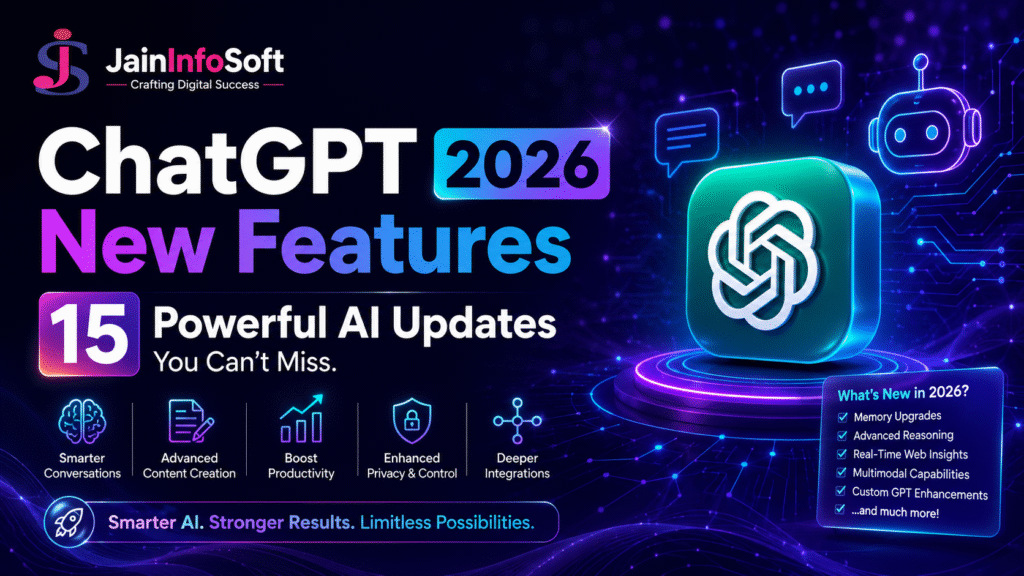
Artificial intelligence is evolving faster than ever, and ChatGPT continues to lead the way. In 2026, ChatGPT is no longer just a chatbot. It has become a complete AI assistant that can help with writing, coding, designing, research, data analysis, image creation, and much more.
Whether you are a student, content creator, marketer, business owner, developer, or freelancer, the latest ChatGPT features can help you work faster, make better decisions, and save valuable time. This is exactly why ChatGPT has become part of standard AI for Business Marketing training today.
In this guide, we will explore the newest ChatGPT features, real-life use cases, frequently asked questions, and practical tips to help you get the most from this AI tool.
What Are the New ChatGPT Features in 2026?
Here are the biggest updates available in the latest version of ChatGPT.
1. GPT-5.5: Smarter and More Accurate AI
GPT-5.5 is designed to understand complex questions better and produce more reliable answers.
Key improvements include:
- Better reasoning
- More accurate coding
- Faster responses
- Improved creative writing
- Better understanding of long conversations
- Fewer mistakes in complex tasks
Example: A software developer can generate a complete web application, while a student can receive step-by-step explanations for difficult topics.
2. Memory That Learns Your Preferences
One of the most useful additions is Memory.
ChatGPT can remember information that you ask it to save, such as:
- Preferred writing style
- Business name
- Frequently used tools
- Languages you prefer
- Ongoing projects
This creates a more personalized experience without needing to repeat the same instructions in every conversation.
Example: If you regularly create SEO blogs, ChatGPT can remember your preferred formatting and writing style.
3. AI Image Generation and Editing
ChatGPT now creates professional-quality images from simple text prompts.
You can create:
- Product images
- Posters
- Logos
- YouTube thumbnails
- Social media graphics
- Website banners
- Book covers
- Infographics
It can also edit existing images by:
- Removing backgrounds
- Replacing objects
- Adding or removing people
- Changing clothing
- Improving image quality
Example: An online store owner can create product advertisements without hiring a designer.
4. Live Web Search
Instead of relying only on existing knowledge, ChatGPT can search the web for current information.
Useful for:
- Breaking news
- Product prices
- Sports results
- Stock market updates
- Weather information
- Technology updates
Example: A digital marketer can research the latest Google algorithm updates before publishing SEO content.
5. Advanced File Analysis
Simply upload files such as:
- Word
- Excel
- CSV
- PowerPoint
ChatGPT can:
- Summarize documents
- Extract important information
- Analyze spreadsheets
- Create reports
- Answer questions
Example: A business owner uploads monthly sales data and receives an easy-to-understand performance report.
6. Voice Conversations
You can now have natural conversations with ChatGPT.
Voice mode is useful for:
- Practicing English
- Interview preparation
- Brainstorming ideas
- Learning new topics
- Hands-free assistance
7. Camera and Image Understanding
Point your phone’s camera at:
- Homework
- Plants
- Electronic devices
- Restaurant menus
- Charts
- Documents
ChatGPT can explain what it sees and answer your questions.
8. Better Coding Assistance
Developers can build software much faster.
ChatGPT can:
- Write code
- Debug errors
- Explain programming concepts
- Optimize performance
- Convert code between languages
- Generate APIs
Supported languages include Python, JavaScript, Java, C++, PHP, SQL, and many more.
9. Data Analysis
ChatGPT can analyze business data and generate charts.
Common uses include:
- Sales reports
- Customer analysis
- Financial forecasting
- Marketing performance
- Budget planning
This saves hours of manual work.
10. Presentation and Document Creation
Create professional documents including:
- Reports
- Business proposals
- PowerPoint presentations
- Excel sheets
- PDF documents
Perfect for students and professionals.
11. Better Content Writing
ChatGPT produces high-quality content for:
- Blogs
- Emails
- Product descriptions
- Social media posts
- Website copy
- Video scripts
- Newsletters
Writers can also rewrite, summarize, and improve existing content.
12. SEO, AEO, and GEO Optimization
ChatGPT now helps create content that performs well across traditional search engines and AI-powered answer engines.
It supports:
- SEO-friendly blog structures
- Question-based headings for Answer Engine Optimization (AEO)
- Clear, concise answers that AI assistants can reference
- Natural language and semantic keyword usage for Generative Engine Optimization (GEO)
- FAQ sections that improve discoverability
- Schema-friendly formatting ideas
- Internal linking suggestions
- Content clustering around related topics
Example: A business publishing a guide about digital marketing can use ChatGPT to build content that is useful for readers, easy for search engines to understand, and well suited for AI-generated search results. This is the same skill set taught in Jain Infosoft’s AI SEO Course Saharanpur.
13. Canvas Workspace
Canvas provides a dedicated space for editing long documents and coding projects.
You can:
- Collaborate with AI
- Revise large documents
- Build software projects
- Organize complex work
14. Scheduled Tasks and Reminders
ChatGPT can help you stay organized by scheduling reminders and recurring tasks.
Examples include:
- Daily work summaries
- Weekly learning goals
- Project reminders
- News monitoring
15. Improved Multilingual Support
ChatGPT understands and generates content in many languages while preserving tone and meaning.
It is useful for:
- Translation
- Localization
- International marketing
- Customer communication
Real-Life Examples
Students
- Explain difficult concepts
- Solve math problems
- Create study notes
- Prepare presentations
Business Owners
- Write marketing content
- Analyze sales data
- Respond to customer emails
- Generate business reports
Content Creators
- Generate blog ideas
- Write YouTube scripts
- Create captions
- Design thumbnails
Developers
- Generate code
- Debug applications
- Build websites
- Learn new programming languages
For Digital Marketers
- Create SEO blogs
- Generate Google Ads copy
- Plan social media campaigns
- Research keywords
- Draft email marketing campaigns
Why These Features Matter
The latest ChatGPT updates reduce repetitive work and help users focus on higher-value tasks. Instead of switching between multiple tools for writing, design, research, analysis, and planning, many workflows can now be handled in one place. This can improve productivity, support creativity, and make complex tasks more accessible. This is exactly what students learn hands-on in a practical AI Tools Training program.
Frequently Asked Questions
What is the newest version of ChatGPT? The latest widely available generation includes GPT-5.5, offering improvements in reasoning, speed, coding, and writing. Availability may depend on your subscription plan and region.
Can ChatGPT create images? Yes. ChatGPT can generate images from text prompts and edit existing images by changing backgrounds, removing objects, adding elements, or improving quality.
Does ChatGPT remember previous conversations? ChatGPT includes a memory feature that can remember information you explicitly ask it to save. You can review, edit, or delete saved memories in your settings.
Can ChatGPT search the internet? Yes. With web browsing enabled, ChatGPT can access current information such as news, prices, weather, and recent events.
Is ChatGPT useful for SEO? Yes. It can help with keyword research, content outlines, meta tags, FAQ creation, semantic optimization, and content structured for both traditional search and AI-powered answer engines.
Which industries benefit the most from ChatGPT? Education, software development, healthcare administration, marketing, customer support, finance, e-commerce, media, consulting, and many other fields can benefit from its capabilities.
Final Thoughts
ChatGPT has evolved into a comprehensive AI assistant that supports writing, coding, research, design, data analysis, planning, and creative work. The newest features make it easier to complete tasks efficiently while adapting to different professions and workflows.
If you are just getting started, explore one feature at a time and apply it to your daily work. As AI capabilities continue to grow, learning how to use tools like ChatGPT effectively can become a valuable skill for both personal and professional success. Jain Infosoft’s ChatGPT Course Saharanpur and AI Digital Marketing Course Saharanpur are built to teach exactly this.